Thousands of BISP and Ehsaas Kafalat beneficiaries across Pakistan face biometric verification problems every payment cycle. Worn fingerprints, NADRA record mismatches, faulty machines, and old age are pushing deserving families away from their payments. Because of this, one question is trending all over Pakistan in 2026: how to check 8171 money without biometric verification?
If you are facing the same issue, this complete guide covers all the official methods to check your 8171 payment status without biometric , including SMS, web portal, NADRA facial verification, BISP Tehsil Office visit, and how to permanently fix your fingerprint problem.
What Is the 8171 System and Why Is Biometric Required?
The 8171 system is used by the Benazir Income Support Programme (BISP) and Ehsaas Program to identify eligible families and distribute direct cash assistance. Biometric verification , specifically fingerprint scanning , is required at the time of payment collection to confirm that money reaches the correct registered beneficiary and prevents fraud or misuse.
However, biometric verification frequently fails for many people. The most common reasons in 2026 include:
- Faded fingerprints due to old age
- Damaged fingerprints from daily manual labor or farming
- Outdated NADRA records that do not match current fingerprints
- Faulty biometric machines at payment centers
- Network or system errors during verification
- Expired CNIC causing a mismatch in NADRA database
- SIM card not registered under the beneficiary’s own CNIC
Because of these issues, the government has introduced non-biometric methods to at least check your payment status, and in special cases, collect payments through alternative verification too.
How to Check 8171 Money Without Biometric – All Official Methods
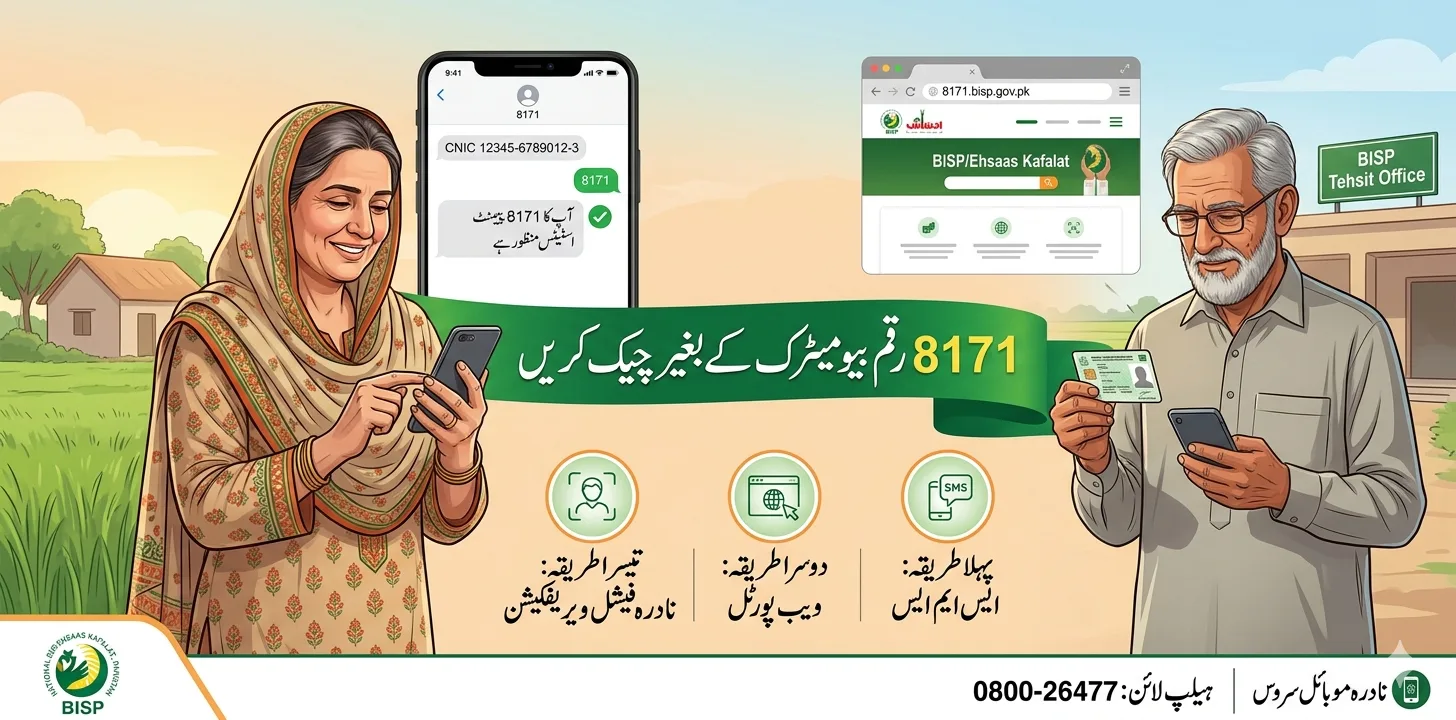
Method 1: Check by SMS (No Biometric Required)
This is the easiest and most commonly used method. It does not require fingerprints, internet, or any device other than a basic mobile phone. It works on all networks including Jazz, Zong, Telenor, and Ufone.
Steps to check 8171 payment by SMS:
- Open the message app on your mobile phone
- Type your 13-digit CNIC number without dashes or spaces
- Send this message to 8171
- Wait a few seconds for the automated reply
You will receive an SMS from BISP confirming:
- Whether your payment has been approved and released
- Whether your case is under verification
- Whether you are marked as eligible or ineligible
This SMS method is completely free of charge and gives you the official result directly from the BISP government database.
Method 2: Check Through 8171 Web Portal (No Biometric Required)
If you have internet access, the official 8171 web portal is another reliable way to check your payment status without biometric verification. You only need your CNIC number.
Steps to check on the web portal:
- Open your browser and go to the official website: https://8171.bisp.gov.pk
- Enter your 13-digit CNIC number in the input box
- Type the captcha security code shown on screen
- Click the Submit or “Maloom Karain” button
- The system will show your complete payment and eligibility details
The portal will display one of these results:
- Eligible – Payment Approved: Your payment is ready to collect
- Data Verification Pending: Your record is still being verified
- Biometric Verification Failed: You need to resolve the biometric issue
- Ineligible: The system shows the reason for disqualification
This method is especially useful when you are not receiving SMS replies due to network delays or SIM issues.
Method 3: NADRA Facial Verification (New Alternative in 2026)
This is an important new option that most competitors have not covered properly. NADRA has officially introduced facial recognition technology as an alternative to fingerprint verification for women and elderly beneficiaries who cannot complete biometric scans.
Here is how the NADRA facial verification process works:
- Visit your nearest NADRA office or NADRA mobile registration van (deployed at BISP regional offices across Pakistan)
- Carry your original CNIC
- Staff will first attempt a fingerprint scan. If it fails, they will proceed to facial verification
- Your face image is captured and matched with NADRA’s database
- After successful facial verification, NADRA issues a verification certificate at a small fee of Rs. 20
- Take this certificate to your nearest BISP Tehsil Office
- Register the certificate at the BISP office to update your verification status in the system
- You will receive a confirmation SMS on your mobile number
- Shortly after, you will receive an SMS from 8171 confirming your payment has been transferred
- Collect your payment from the nearest BISP payment center
This method is specifically available for elderly women, disabled individuals, and laborers with permanently damaged fingerprints. NADRA mobile vans are also deployed at BISP offices to make this process easier and more accessible.
Method 4: Visit BISP Tehsil Office for Manual Verification
If your biometric keeps failing every cycle, visiting your nearest BISP Tehsil Office is the most reliable solution to resolve the issue permanently.
At the BISP Tehsil Office, staff can:
- Check your full payment status using just your CNIC number
- Attempt a re-verification of your fingerprints on the office biometric device
- Register a formal complaint for biometric failure
- Apply for alternative verification approval for special cases
- Update your NSER household record if there is a data mismatch
In many cases, beneficiaries are officially shifted to face verification or manual approval after the BISP office confirms the biometric failure is genuine. Always carry your original CNIC when visiting the office.
Method 5: Update Biometrics at NADRA to Fix the Problem Permanently
If your biometric verification is failing because of outdated NADRA records or changed fingerprints, updating your biometrics at NADRA is the permanent solution. This fixes the issue at the root and prevents future payment delays.
Steps to update biometrics at NADRA:
- Visit your nearest NADRA Registration Center (NRC)
- Carry your original CNIC and registered mobile number
- Request a biometric update from the NADRA staff
- Your new fingerprints will be recorded and stored in the national database
- Wait 24 to 48 hours for the BISP system to synchronize with the updated NADRA data
- After synchronization, recheck your status on 8171 portal or via SMS
Some quick tips to improve fingerprint scanning at NADRA or BISP centers:
- Clean your hands thoroughly before placing them on the scanner
- Apply a small amount of moisturizer if your skin is very dry
- Make sure your CNIC is valid and not expired
- Try a different payment center if the machine at one location is faulty
- Avoid scanning a damaged or injured finger , try the other hand
Common Reasons for Biometric Failure in 2026
Many beneficiaries face biometric issues without understanding why. Here are the most common causes:
- CNIC not updated with current NADRA records
- Fingerprints faded over time due to age
- Wrong fingerprint registered in the NADRA system during original enrollment
- Thumb injuries or skin conditions affecting ridge patterns
- Expired CNIC causing identity mismatch in the database
- Machine or network errors at the payment center
- SIM not registered under your own CNIC number
Most of these issues can be resolved permanently by visiting NADRA or your nearest BISP Tehsil Office.
Can You Collect 8171 Payment Without Biometric?
Checking your payment status without biometric is fully available through SMS and the web portal. However, collecting or withdrawing your payment still generally requires identity verification.
That said, in 2026, BISP allows non-biometric payment collection in the following limited special cases:
- Elderly beneficiaries with permanently unreadable fingerprints
- Disabled individuals who cannot physically complete biometric scans
- Women with permanent fingerprint damage verified through NADRA
For these cases, you must:
- Submit a written application at the BISP Tehsil Office
- Provide your original CNIC and supporting documents
- Get official BISP approval for alternative verification
Once approved, your payment will be released through alternative methods such as NADRA facial verification or manual BISP officer verification.
Important Tips for 8171 Beneficiaries
- Always use your own registered CNIC to check status , never someone else’s
- Never share your CNIC or OTP with any unknown person
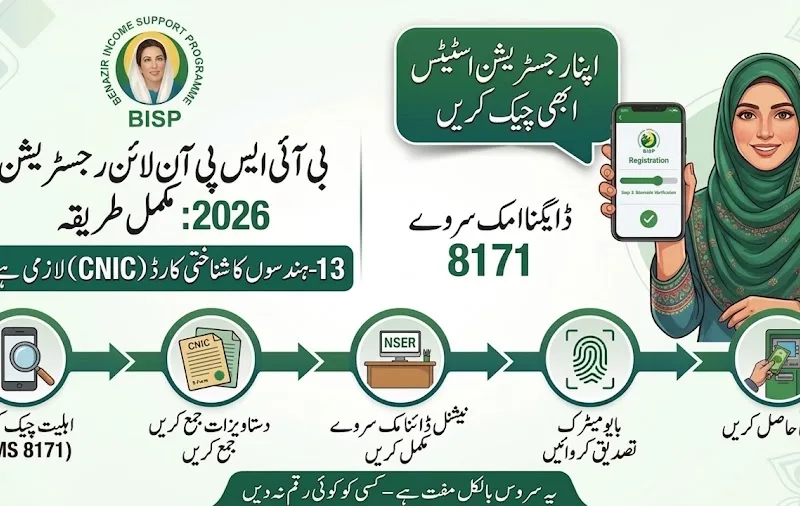
- Do not pay agents or middlemen , all BISP services are completely free
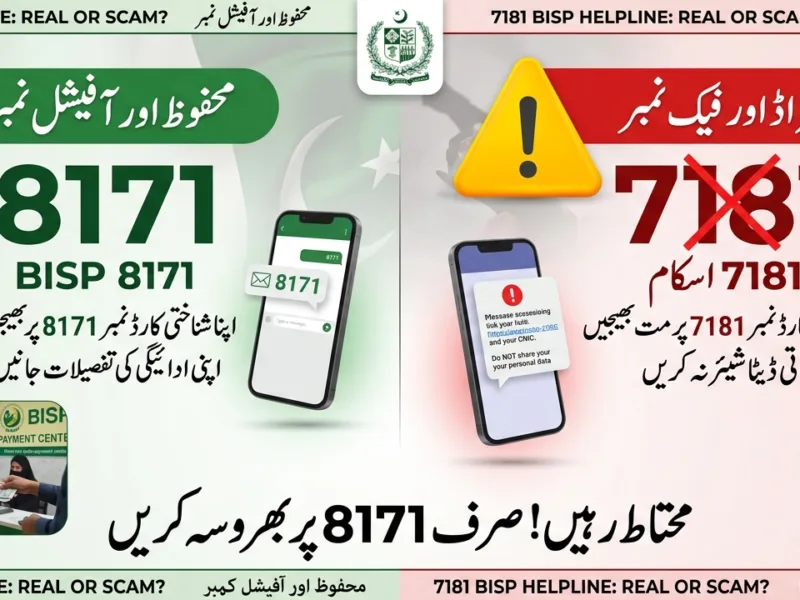
- Use only official SMS (8171) and the official portal (8171.bisp.gov.pk)
- Visit your BISP Tehsil Office if the issue continues for more than one payment cycle
- Keep your CNIC valid and updated with NADRA at all times
- Make sure your SIM card is registered under your own CNIC
Frequently Asked Questions (FAQs)
Q1: Can I check my 8171 payment without biometric verification? Yes. Both the SMS method (send CNIC to 8171) and the official web portal (8171.bisp.gov.pk) allow you to check your payment status without any biometric requirement. Only the physical collection of cash requires identity verification.
Q2: Can I receive my BISP payment without biometric? In special cases , for elderly, disabled, and women with permanent fingerprint damage , BISP allows alternative verification after official approval. You must submit an application at your nearest BISP Tehsil Office.
Q3: What is NADRA facial verification and who can use it? NADRA has introduced facial recognition as an alternative to fingerprints for BISP beneficiaries who cannot complete fingerprint scans. After face verification at a NADRA office, you receive a certificate to present at your BISP office for payment release.
Q4: What should I do if I do not receive a reply from 8171 SMS? Wait a few minutes and try again. Network delays are common. Alternatively, check your payment status directly on the web portal at 8171.bisp.gov.pk.
Q5: How long does NADRA biometric update take to reflect in the BISP system? After updating biometrics at NADRA, it usually takes 24 to 48 hours for the BISP system to synchronize with the new NADRA data. After that, retry your biometric verification at the payment center.
Q6: Is there any fee for checking 8171 status or visiting the BISP office? No. Checking your 8171 payment status via SMS or web portal is completely free. BISP office services are also free. Never pay anyone claiming to help you with biometric issues or payment verification.
Final Thoughts
Biometric problems should never stop deserving families from receiving their financial assistance. In 2026, you can check your 8171 money status completely without biometric using SMS or the web portal. For collection issues, NADRA’s new facial verification system and BISP manual approval processes ensure that even those with fingerprint problems are not left behind.
If your biometric issue has been going on for more than one payment cycle, take action now. Visit your nearest NADRA office to update your biometrics, or visit the BISP Tehsil Office with your original CNIC to register a complaint and request alternative verification. The official BISP helpline is 0800-26477 , free to call from any network in Pakistan.
Read More: 8171 SMS Service Check CNIC Status 2026 – Complete Payment & Eligibility Guide