
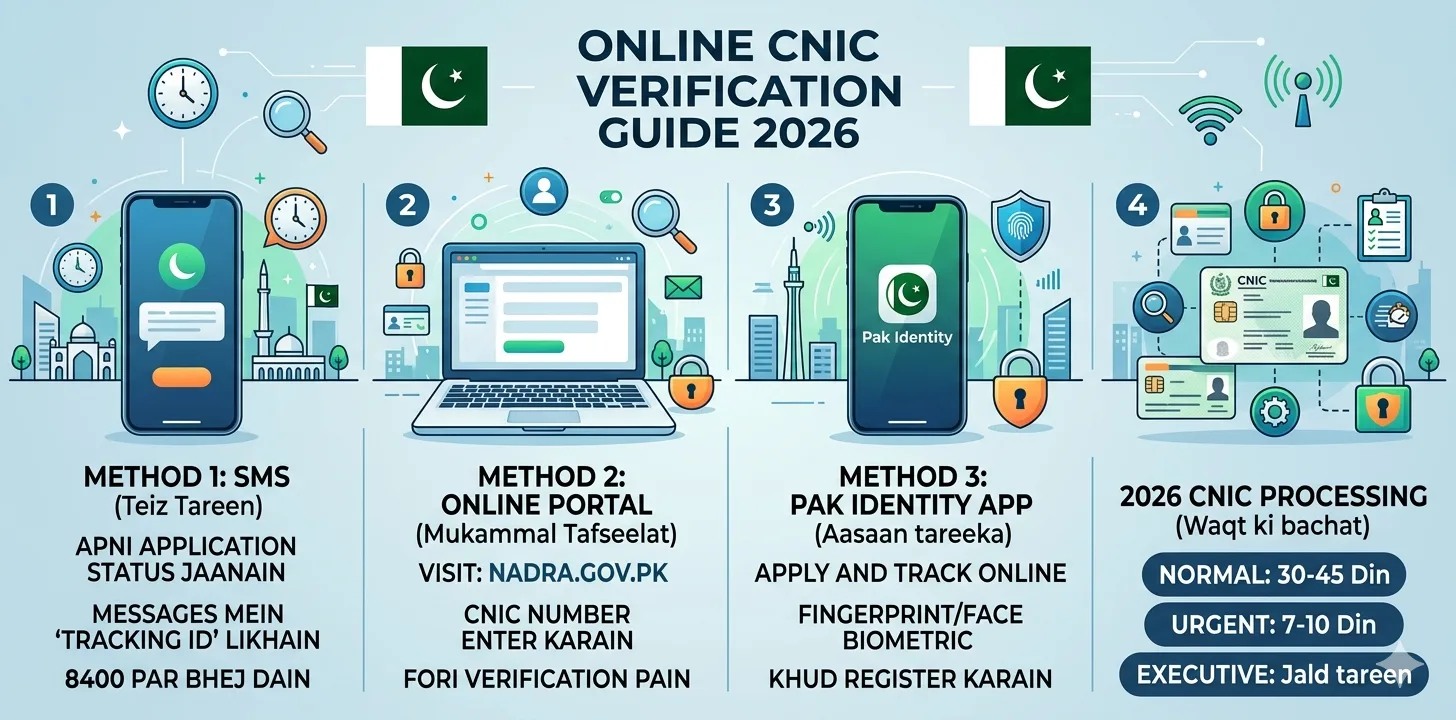
Online CNIC verification in Pakistan has become faster, safer, and more accessible in 2026. The CNIC (Computerized National Identity Card) is a unique identification document issued by NADRA (National Database and Registration Authority) in Pakistan. It serves as proof of identity for Pakistani citizens, essential for accessing government services, opening bank accounts, voting, and conducting official transactions. Whether you need to verify your own CNIC or check your application status, this complete guide covers every official method available in Pakistan right now.
What Is Online CNIC Verification?
Online CNIC verification provides several benefits for Pakistani citizens , people no longer need to visit offices for simple verification, it can be done anytime using a mobile phone or computer, and since the data comes directly from NADRA records, the information is reliable.
What you can do through online CNIC verification:
- ✅ Check if your CNIC is valid and active
- ✅ Verify CNIC application status
- ✅ Confirm personal details linked to your CNIC
- ✅ Check eligibility for government welfare programs
- ✅ Verify SIM cards registered under your CNIC
- ✅ Track CNIC delivery after application
Method 1 – SMS Verification via NADRA (Fastest Method)
This is the quickest way to verify your CNIC , no internet needed, works on any mobile network.
To check CNIC application status:
- Open your phone’s SMS app
- Type your NADRA application tracking ID (from your receipt)
- Send it to 8400
- Receive instant status reply from NADRA
Your tracking ID is printed on the receipt you received at the NADRA Registration Center (NRC) when you submitted your application.
To verify CNIC details (name, address):
- Open your SMS app
- Type your 13-digit CNIC number
- Send to 7000 (charges apply)
- Receive confirmation of your details
Method 2 – Online Verification via NADRA Portal
If you have internet access, the NADRA online portal is the most detailed method.
Steps to verify CNIC online:
- Visit the official NADRA portal: nadra.gov.pk
- Go to the CNIC Verification section
- Enter your 13-digit CNIC number
- Complete the captcha verification
- Enter the OTP sent to your registered mobile number
- Click Submit , your status appears instantly
The system will show the CNIC verification status. This online system helps people avoid long queues at NADRA offices and complete verification from home.
Method 3 – Pak Identity App (Most Convenient in 2026)
The Pak Identity App is an official digital identity platform launched by NADRA Pakistan. It allows citizens to apply for CNIC, NICOP, POC, and Family Registration Certificate (FRC) without visiting a physical center. Bisp8171check
How to use Pak Identity App for CNIC verification:
- Download Pak Identity from Google Play Store or Apple App Store
- Register with your CNIC number, mobile number, and email
- Log in and tap “My Applications”
- View your CNIC status and application progress in detail
The Pak Identity app also supports biometric login (fingerprint/face ID) and allows online payment for CNIC services , ideal for applying without visiting a NADRA center.
Method 4 – CNIC Verification for Government Programs
Many government programs in Pakistan also allow CNIC verification through dedicated portals. These portals connect directly with NADRA records and provide instant eligibility checks.
Steps for program-based CNIC verification:
- Visit the official government scheme portal
- Go to the CNIC Verification section
- Enter your 13-digit CNIC number
- Complete captcha verification
- Click Submit to see your eligibility status
Common programs requiring CNIC verification include:
| Program | Verification Portal |
| BISP / Benazir Kafalat | 8171.bisp.gov.pk |
| Ehsaas Program | 8171 SMS or official portal |
| Ehsaas Ration | Designated district portals |
| NSER Survey | BISP Tehsil Offices |
NADRA CNIC Status Messages Explained
After verification, you will see one of these status messages:
| Status | Meaning |
| Valid / Active | CNIC is genuine and current |
| Expired | CNIC needs renewal at NADRA |
| In-Process | Application being reviewed or printed |
| Dispatched | CNIC sent for delivery |
| Rejected | Visit NADRA office with original documents |
| Not Found | CNIC not in system , visit NADRA office |
“In-Process” means NADRA has received your application and it is currently being reviewed, printed, or dispatched. You do not need to take any action , simply wait and check your status regularly.
New NADRA Biometric Verification 2026
In 2026, the NADRA biometric verification online process will become even more seamless, allowing you to skip long queues at registration centers. Whether you’re renewing a CNIC or verifying for a bank account, this digital shift saves time.
Major 2026 update:
A major update in 2026 is the introduction of facial recognition-based certificates. If your fingerprints are faded or hard to read, NADRA now allows you to verify your identity through a high-definition facial scan.This is especially helpful for senior citizens and manual laborers.
What you need for biometric verification:
- 📄 Valid CNIC (current or expired)
- 📱 Mobile number registered in your own name
- 📧 Email address for tracking ID
- 💡 Well-lit room for camera to capture accurately
NADRA CNIC Fees 2026
The CNIC fee ranges from PKR 400 to PKR 2,500 depending on the service category.
| Service Type | Fee (Approx.) |
| Normal CNIC (30–45 days) | PKR 400 – 600 |
| Urgent CNIC (7–10 days) | PKR 1,000 – 1,500 |
| Executive CNIC (Same day) | PKR 2,000 – 2,500 |
| CNIC Renewal | Same as above |
| Smart CNIC (SNIC) | Varies by category |
Note: Fees are paid at NADRA centers or online via Pak Identity App.
Check SIM Cards Registered on Your CNIC
Many people worry about unauthorized SIM cards registered under their CNIC. You can check this easily:
- Open SMS app
- Type your 13-digit CNIC number
- Send to 668
- Receive a list of all SIM cards registered under your CNIC
SIM Registration Check (668) is a service that allows you to verify all the mobile numbers registered under your CNIC. This service ensures that no unauthorized or unknown numbers are linked to your identity, helping you maintain security and control over your mobile connections.
Important Warnings – Avoid CNIC Fraud
NADRA does not provide any public online system where you can enter a mobile number and get CNIC details. Any website or app claiming to show CNIC details using a mobile number is fake or unsafe.
Protect yourself:
- 🔒 Only use nadra.gov.pk (official website)
- 📱 Only SMS to 8400 or 7000 (official numbers)
- ☎️ Only call NADRA helpline: 051-111-786-100
- ❌ Never enter CNIC on unknown or unofficial websites
- ❌ Never share OTP with anyone , not even if they claim to be from NADRA
- ❌ Never pay agents to verify your CNIC
Common Problems & Solutions
| Problem | Solution |
| CNIC expired | Visit nearest NADRA center for renewal |
| Biometric failure | Use facial recognition option (new in 2026) |
| No OTP received | Check your registered mobile number |
| Status shows “Rejected” | Visit NADRA office with original documents |
| Wrong details on CNIC | Apply for correction at NADRA center |
| Tracking ID lost | Visit the NADRA office where you applied |
NADRA’s helpline is 051-111-786-100. It operates 24/7 for basic queries and application support.
FAQs – Online CNIC Verification Pakistan
Q: How can I verify my CNIC online in Pakistan? Send your CNIC number to 7000 via SMS, or visit the official NADRA portal and enter your CNIC in the verification section.
Q: How do I check my CNIC application status? Send your tracking ID to 8400 via SMS from any mobile network in Pakistan for an instant status reply.
Q: Can I verify someone else’s CNIC? The NADRA CNIC Verification portal is mostly used by employers or landlords to verify the identity of another person for business-related transactions. A small fee and registration are required.
Q: Is online CNIC verification free? SMS to 8400 for status check is free. Verification via 7000 has a small charge. The Pak Identity App is free to download and use.
Q: What if my CNIC record is not found online? If your CNIC record is not found, you should visit the nearest NADRA registration center to update your information.
Q: Is it safe to verify CNIC online? Yes, but only through official NADRA channels. Never use third-party websites claiming to show CNIC details.
Final Thoughts
Online CNIC verification in Pakistan has become one of the most important digital services in 2026. NADRA has upgraded its database systems, introduced stricter biometric verification, and revised fee categories to ensure that identity fraud is minimized and citizens receive faster services.Whether you use SMS, the Pak Identity App, or the NADRA portal, always stick to official methods. Keep your CNIC updated, your mobile number active, and your biometric data current , this keeps all your government services running smoothly.
Read More: Ehsaas Program 2026 – Registration, Eligibility & Payment Check Online